
PoshBytes: The End of Arrays
PoshBytes: The End of Arrays Learn some surprisingly useful tricks for working with the end of PowerShell arrays. Reverse arrays, grab the last few items, use negative indexes, and skip elements without writing complicated loops. This post is a companion for the short PoshBytes: The End of Arrays. Welcome to PoshBytes. Today we’re talking about the end of arrays. Not...
PoshBytes: Test (Path) Before You Leap
PoshBytes: Test (Path) Before You Leap Use Test-Path to check whether files, folders, and registry paths exist before your script wanders confidently into a wall. This post is a companion for the short PoshBytes: Test (Path) Before You Leap. Welcome to PoshBytes, where today we ask PowerShell a simple question: does this thing exist, or are we about to have...
PoshBytes: Get-Verb Before You Get Judged
PowerShell verbs are not just naming suggestions. Get-Verb helps you find approved verbs so your functions are easier to discover and your modules do not yell at people. This post is a companion for the YouTube short PoshBytes: Get-Verb Before You Get Judged. One of the first things you notice in PowerShell is that commands follow a Verb-Noun pattern. Get-ProcessStart-ServiceExpand-Archive...
PoshBytes: Download Large Files with Start-BitsTransfer
PoshBytes: Download Large Files with Start-BitsTransfer Learn when to use Start-BitsTransfer for reliable downloads in PowerShell. This demo shows how BITS can download files, run transfers in the background, and manage multiple jobs. This post is a companion for the video embedded below. Scroll down to see the code and full transcript from the video. Welcome to PoshBytes, where we automate...
PoshBytes: Stop Clicking Download. Use Invoke-WebRequest
PoshBytes: Stop Clicking Download. Use Invoke-WebRequest Learn how to download files directly in PowerShell using Invoke-WebRequest. This quick demo shows simple and repeatable ways to grab files without a browser. This post is a companion for the video embedded below. Scroll down to see the code from the video. You ever download a file, move it, rename it, then realize you...
PoshBytes: To Delete or To Empty Items? PowerShell Has Opinions
PoshBytes: To Delete or To Empty Items? PowerShell Has Opinions Remove-ItemProperty and Clear-ItemProperty both change properties, but they do very different things. In this PoshBytes, we’ll look at when to delete the property and when to simply empty it out. This post is a companion for the video embedded below. Scroll down to see the code from the video. Today we’re...
PoshBytes: Formatting Strings with -f Like a Pro
PoshBytes: Formatting Strings with -f Like a Pro Learn how to use the PowerShell format operator -f to dynamically replace placeholders like {0} in strings. This quick demo shows how to build clean, reusable output without messy concatenation. This post is a companion for the video embedded below. Scroll down to see the code from the video. Welcome to PoshBytes, where...
PowerShell Vulnerability Update (CVE-2026-26143): What You Need to Know
CVE-2026-26143 was published, on April 14, 2026, impacting modern (Core-based) versions of PowerShell—specifically versions 7.4 and 7.5 prior to recent patches. Before diving into the details, it’s important to understand that this vulnerability is not something that can be exploited under normal, secure usage. This issue specifically requires the use of the -SkipLimitCheck parameter on the Import-PowerShellDataFile cmdlet. That parameter...
PoshBytes: When PowerShell Cares About Case
PoshBytes: When PowerShell Cares About Case PowerShell usually ignores case, but its operators can tell a very different story. Learn when and how to use case-sensitive operators like -ceq and -cmatch. This post is a companion for the video embedded below. Scroll down to see the code from the video. The default behavior Case-insensitive comparison "hello" -eq "HELLO" When you actually...
PoshBytes: What The Blank!
PoshBytes: What The Blank! In PowerShell, a value that *looks* blank might still contain spaces or tabs. In this PoshBytes short, we explore the difference between IsNullOrEmpty() and IsNullOrWhiteSpace() so your scripts can detect truly blank values. This post is a companion for the video embedded below. Scroll down to see the code from the video. Checking if a string is...
My name is Matthew Dowst and I am a father, author, blogger, Microsoft MVP in PowerShell and Azure Hybrid & Migration. And I am an enthusiast of all things PowerShell and DevOps.
Summer of Variables

Join me for an 8 week adventure through every PowerShell Automatic Variable.
One variable. Every day. In 30 seconds or less.
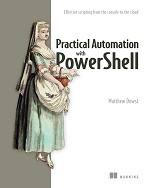
Practical Automation with PowerShell
Now available on Amazon and all major book retailers