
Search for AD User without AD module
# search based on SamAccountNamer $strFilter = "(SAMAccountName=$username)" $objDomain = New-Object System.DirectoryServices.DirectoryEntry $objSearcher = New-Object System.DirectoryServices.DirectorySearcher $objSearcher.SearchRoot = $objDomain $objSearcher.PageSize = 1000 $objSearcher.Filter = $strFilter $objSearcher.SearchScope = "Subtree" # Add additional properties to return here $colProplist = "name","SAMAccountName" foreach ($i in $colPropList){ $foo = $objSearcher.PropertiesToLoad.Add($i) } $colResults = $objSearcher.FindAll() # formation output results [System.Collections.Generic.List[PSObject]] $results = @() foreach ($objResult in...
Test AD User Credentials
Add-Type -AssemblyName System.DirectoryServices.AccountManagement $DS = New-Object System.DirectoryServices.AccountManagement.PrincipalContext('domain') $DS.ValidateCredentials($UserName, $Password)
Round to the Nearest Half
[math]::Round($number * 2, [MidpointRounding]::AwayFromZero) / 2
Elevate Script to Run As Administrator
# Request elevation with administration rights If (-NOT ([Security.Principal.WindowsPrincipal][Security.Principal.WindowsIdentity]::GetCurrent()).IsInRole([Security.Principal.WindowsBuiltInRole] "Administrator")) { $arguments = "& '" + $myinvocation.mycommand.definition + "'" Start-Process powershell -Verb runAs -ArgumentList $arguments Break } else { # Code to run elevated here }
Switch Statement
switch ($value) { 1 {"It is one."} 2 {"It is two."} 3 {"It is three."} 4 {"It is four."} }
If/ElseIf/Else Statement
# If $value equals 1 write True 1, else if it equals 2 write True 2, else write False if($value -eq 1){ Write-Host "True 1" } elseif($value -eq 2){ Write-Host "True 2" } else { Write-Host "False" }
If/Else Statement
# If $value equals 1 write True, else write False if($value -eq 1){ Write-Host "True" } else { Write-Host "False" }
Run Multiple Commands on Remote Machine
# Create a persistent connection to remote machine $Session = New-PSSession -ComputerName $Computer -Credential $Credential # Runs on remote machine Invoke-Command -Session $Session -ScriptBlock {Stop-Service -Name Bits} # Run on local machine Get-Service # Runs on remote machine again Invoke-Command -Session $Session -ScriptBlock {Start-Service -Name Bits}
Run Command on Remote Machine with Credentials
$Credential = Get-Credential Invoke-Command -ComputerName $Computer -ScriptBlock {Stop-Service -Name Bits} -Credential $Credential
My name is Matthew Dowst and I am a father, author, blogger, Microsoft MVP in PowerShell and Azure Hybrid & Migration. And I am an enthusiast of all things PowerShell and DevOps.
Summer of Variables

Join me for an 8 week adventure through every PowerShell Automatic Variable.
One variable. Every day. In 30 seconds or less.
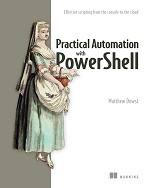
Practical Automation with PowerShell
Now available on Amazon and all major book retailers