
PoshBytes: Is That Really False?
PoshBytes: Is That Really False? A quick look at why if($value) is not always the same as checking for true or false in PowerShell. Learn how PowerShell treats strings, numbers, and nulls in Boolean checks so your logic does not wander off and join the circus. This post is a companion for the video embedded below. Scroll down to see the...
PoshBytes: Fixing Word Formatting with PowerShell
PoshBytes: Fixing Word Formatting with PowerShell Three blank pages at the end of a Word document that refuse to disappear. Instead of fighting Word’s formatting ghosts, we use PowerShell to surgically fix everything. This post is a companion for the video embedded below. Scroll down to see the code from the video. Example of something Open Word and the document $Word...
PoshBytes: What the Method
PoshBytes: What the Method What is a method in PowerShell and why should you care. In this episode of PoshBytes, we break down what methods are, how to call them, and how to discover them using real examples. This post is a companion for the video embedded below. Scroll down to see the code from the video. Example of something Create...
PoshBytes: Why Is My Sort Order So Weird?
PoshBytes: Why Is My Sort Order So Weird? Sorting in PowerShell does not always behave the way you expect when numbers are stored as strings. This episode shows how to fix numeric sorting and how to sort by expressions without changing your original data. This post is a companion for the video embedded below. Scroll down to see the code from...
PoshBytes: Is it Contained or In an Array?
PoshBytes: Is it Contained or In an Array? Should you use -contains or -in in your PowerShell comparison? This PoshBytes solves the common membership test confusion by showing when something is contained versus in. This post is a companion for the video embedded below. Scroll down to see the code from the video. The Setup $awesome = 'IT','DevOps','SecOps' $awesome -contains 'IT'...
PoshBytes: How Big Is My File, Really?
PoshBytes: How Big Is My File, Really? This episode of PoshBytes explains binary sizing in PowerShell and how numeric multipliers like MB and GB make everything clearer. This post is a companion for the video embedded below. Scroll down to see the code from the video. Intro Get the file and inspect its raw size in bytes $file = Get-Item .\bigfile.iso...
PoshBytes: The Fastest Way to Scan Output in PowerShell (Format-Wide)
PoshBytes: The Fastest Way to Scan Output in PowerShell (Format-Wide) Format-Wide is one of those formatting cmdlets you probably learned once and then forgot. In this Deep Cuts short, we explore practical situations where wide output is exactly what you want and why it can make scripts and ad-hoc work far more readable. This post is a companion for the...
PoshBytes: Set-Date Is More Than Time Travel (Deep Cuts)
Set-Date is not just for changing the system clock. This episode shows practical automation use cases where Set-Date becomes a precise troubleshooting and testing tool. This post is a companion for the video embedded below. Scroll down to see the code from the video. Testing Time-Based Logic Without Waiting Move the time ahead, test, and reset $original = Get-Date Set-Date -Date...
PoshBytes: Measure-Command For Optimizing Your Code
PoshBytes: Measure-Command For Optimizing Your Code Measure-Command is the fastest way to find out how long a command actually takes, so you can stop guessing and start optimizing with receipts. We will time a few real scripts, compare approaches, and learn how to avoid misleading results. This post is a companion for the video embedded below. Scroll down to see the...
PoshBytes: Stop Guessing and Start Measuring with Stopwatch
PoshBytes: Stop Guessing and Start Measuring with Stopwatch Learn how to time PowerShell code with System.Diagnostics.Stopwatch and read TimeSpan output correctly, including a visible progress pause you can actually watch. This post is a companion for the video embedded below. Scroll down to see the code from the video. The Basic Stopwatch Output elapsed time $sw = [System.Diagnostics.Stopwatch]::StartNew() Start-Sleep -Seconds 2...
My name is Matthew Dowst and I am a father, author, blogger, Microsoft MVP in PowerShell and Azure Hybrid & Migration. And I am an enthusiast of all things PowerShell and DevOps.
Summer of Variables

Join me for an 8 week adventure through every PowerShell Automatic Variable.
One variable. Every day. In 30 seconds or less.
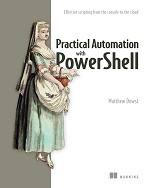
Practical Automation with PowerShell
Now available on Amazon and all major book retailers