
PowerShell Collaboration Unleashed: Setting Up The Littlest JupyterHub
This post is an accompanying post for the JupyterHub Install with PowerShell Notebooks video that is part of the PowerShell Collaboration Unleashed series.
PowerShell Collaboration Unleashed: VM Setup for The Littlest JupyterHub
This post is an accompanying post for the VM Setup video that is part of the PowerShell Collaboration Unleashed series.
Find All agent-based Hybrid Runbook Workers
In case you are not away the Microsoft Monitoring Agent (MMA) will be retired on 31 August 2024. Prior to this date you will need to migrate all your agent-based hybrid workers to the extension-based worker. Microsoft has provided plenty of guidance on migrating the existing agent-based hybrid workers to extension-based hybrid workers. However, it may be difficult to keep...
2023: A PowerShell Year in Review
2023 was quite the year for me and PowerShell, so I thought I would put together a brief summary of the year as I saw it. Plus provide you with some fun and interesting statics from the PowerShell Weekly newsletter. This year was also a huge year for me. My book Practical Automation with PowerShell was released in April. This...
Display Profile Functions
If you are like me and have multiple machines you work on with different profiles, it can be difficult to remember which profile contains which functions. So, I wrote a quick function that will display all the functions for me on start up. Just add the code below to the bottom of your $profile file. Function Get-ProfileFunctions { $__ProfileFunctions =...
Converting Visio to PNG and SVG
When working in Visio, it is not uncommon that you need to export your diagram to a picture for sharing or placing in documentation. For example, when writing, I will often have multiple Visio diagrams that I continually tweak throughout the process. So, I wrote a function to take all the Visio diagrams in a folder and export them to...
Extracting images from Word
This post will show you have to use PowerShell extraction images from a Word document, copy them to a new location, and list the caption information for each image.
Start Azure VM and Open Bastion
The following snippet will check if a VM is turned on, and if not start it, then launch the Bastion connection window in Edge. $VM = Get-AzVM -Name 'LN-TCTester-01' -Status if($VM.PowerState -eq 'VM deallocated'){ $VM | Start-AzVM } Start-Process -Path msedge -ArgumentList "https://portal.azure.com/#/resource$($VM.Id)/bastionHost"
Automation Authoring
When I started writing my book, Practical Automation with PowerShell, I discovered how much time and energy is required to keep everything up to date. For example, if I changed a piece of code in the text, I had to make sure the code sent to the publisher and uploaded to GitHub matched. Not to mention the style guidelines I...
Compare Images
The following function can be used to compare two pictures based on size and a pixel-by-pixel comparison. Function Compare-Images { param( $ReferenceFile, $DifferenceFile ) $ReferenceImage = [System.Drawing.Bitmap]::FromFile($ReferenceFile) $DifferenceImage = [System.Drawing.Bitmap]::FromFile($DifferenceFile) if ($ReferenceImage.Size -ne $DifferenceImage.Size) { Write-Host "Images are of different sizes" $false } else { # Set the difference to 0 [float]$Difference = 0; # Parse through each pixel for...
My name is Matthew Dowst and I am a father, author, blogger, Microsoft MVP in PowerShell and Azure Hybrid & Migration. And I am an enthusiast of all things PowerShell and DevOps.
Summer of Variables

Join me for an 8 week adventure through every PowerShell Automatic Variable.
One variable. Every day. In 30 seconds or less.
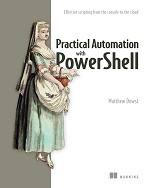
Practical Automation with PowerShell
Now available on Amazon and all major book retailers