
Practical Automation with PowerShell
After months and months of work, I’m proud to announce my new book is now available for purchase. Practical Automation with PowerShell reveals how you can use PowerShell to build automation solutions for a huge number of common admin and DevOps tasks. It takes you beyond scripting basics and shows you how to handle the unforeseen complexities that can keep...
Quick and Easy Password Generator
This is a quick and easy password/random character generator. It returns random numbers between 33 and 126 and converts the number to the corresponding ASCII character. $password = [string]::Empty 1..32 | ForEach-Object { $password += [char]$(33..126 | Get-Random) }
Resubmit Azure Automation Runbook Job
This snippet will allow you to re-run any Azure Automation Runbook job with the same parameters and in the same context (Azure or Hybrid Worker Group). # Set the variables from the previous job $AutomationAccountName = '' $ResourceGroupName = '' $JobId = '' # Get the previous job $AutoAccount = @{ AutomationAccountName = $AutomationAccountName ResourceGroupName = $ResourceGroupName } $PreviousJob =...
Copy Azure Permissions
I was replacing an old service account with a service principal, and needed to replicate the permissions in Azure. I was able to do that without missing anything, using the command below. $CopyFrom = 'Object to copy from' $CopyTo = 'Object to copy to' Get-AzRoleAssignment -ObjectId $CopyFrom | ForEach-Object{ New-AzRoleAssignment -ObjectId $CopyTo -RoleDefinitionId $_.RoleDefinitionId -Scope $_.Scope }
Reboot remote computer and wait
This script that will send a reboot command to a remote computer. It will then monitor for it to go offline and then come back online. Optionally, you can have it monitor for a service to return to running. # The remote computer to reboot $computer = 'YourComputer' # the name of a service to check for after reboot $Service...
Testing and Deploying ARM Templates
I often find that when building an ARM template, I need to test it multiple times. So, I created the script below that will create the resource group (is it doesn’t exist), run the test cmdlet (and stop if there is a problem), and deploy the template to Azure. It will create a new name for the deployment each time...
Apply CVE-2020-1350 Workaround to Remote Computer
A patch has been released for the security vulnerability CVE-2020-1350, which has a 10 out of 10 on the CVSS scale and affects all Windows DNS servers from 2003 to 2019. However, since not everyone can patch systems right away, Microsoft has provided a workaround. The workaround restricts the size of DNS response packets, which only requires a restart of...
Quickly Switch Azure Subscriptions with PSNotes
If you are now aware, PSNotes is a PowerShell module I developed that allows you save code snippets, and recall them right in you PowerShell using an alias. One great use for this I have found is for switching between Azure subscriptions. I work in multiple different subscriptions throughout the day. Some are in the same tenant, but some require...
Parse Email Address
You can use this snippet to parse an email address and extract the different components of it. (Tip. It works for UPNs too) New-Object "System.Net.Mail.MailAddress" -ArgumentList $emailAddress
View All Scheduled Tasks in a Single Pane
Get-ScheduledTask | Select-Object * | Out-Gridview Source: Guy Leech
My name is Matthew Dowst and I am a father, author, blogger, Microsoft MVP in PowerShell and Azure Hybrid & Migration. And I am an enthusiast of all things PowerShell and DevOps.
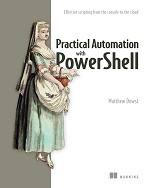
Practical Automation with PowerShell
Now available on Amazon and all major book retailers